 Fish
Fish
Features
Everything your school juggles in a dozen places - the classroom feed, the calendar, chat, lunch, tuition, fundraising, volunteer hours - finally living together in one app that families actually open.
Native apps and device sync
Easy To Use
Families and staff get a powerful app experience on the devices they already use, with calendars, reminders, and updates staying in sync across phone, tablet, and desktop.
- Native iOS and Android apps
- Calendar and notification sync
- One account across every device
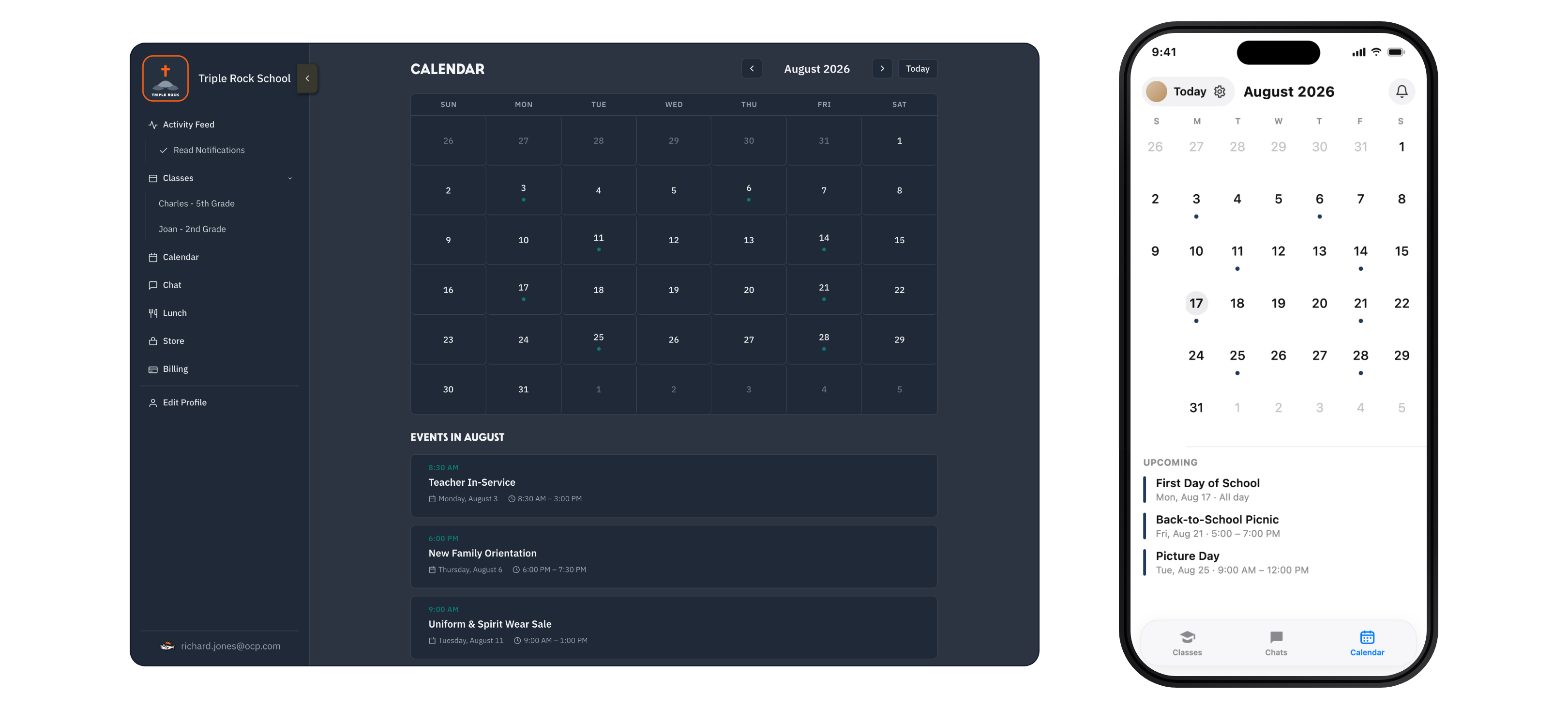
No passwords and works on all devices
Easy To Setup
School administrators get a tool that's easy to set up and easy to manage, one that scales without an IT department or a helpdesk.
- Each parent uses a Fish Pass they can tap or scan with their phone to enroll
- No password resets, thanks to magic links and passkeys
- The entire interface is designed by parents and teachers for parents and teachers
Teacher-to-family updates
Classroom Feed
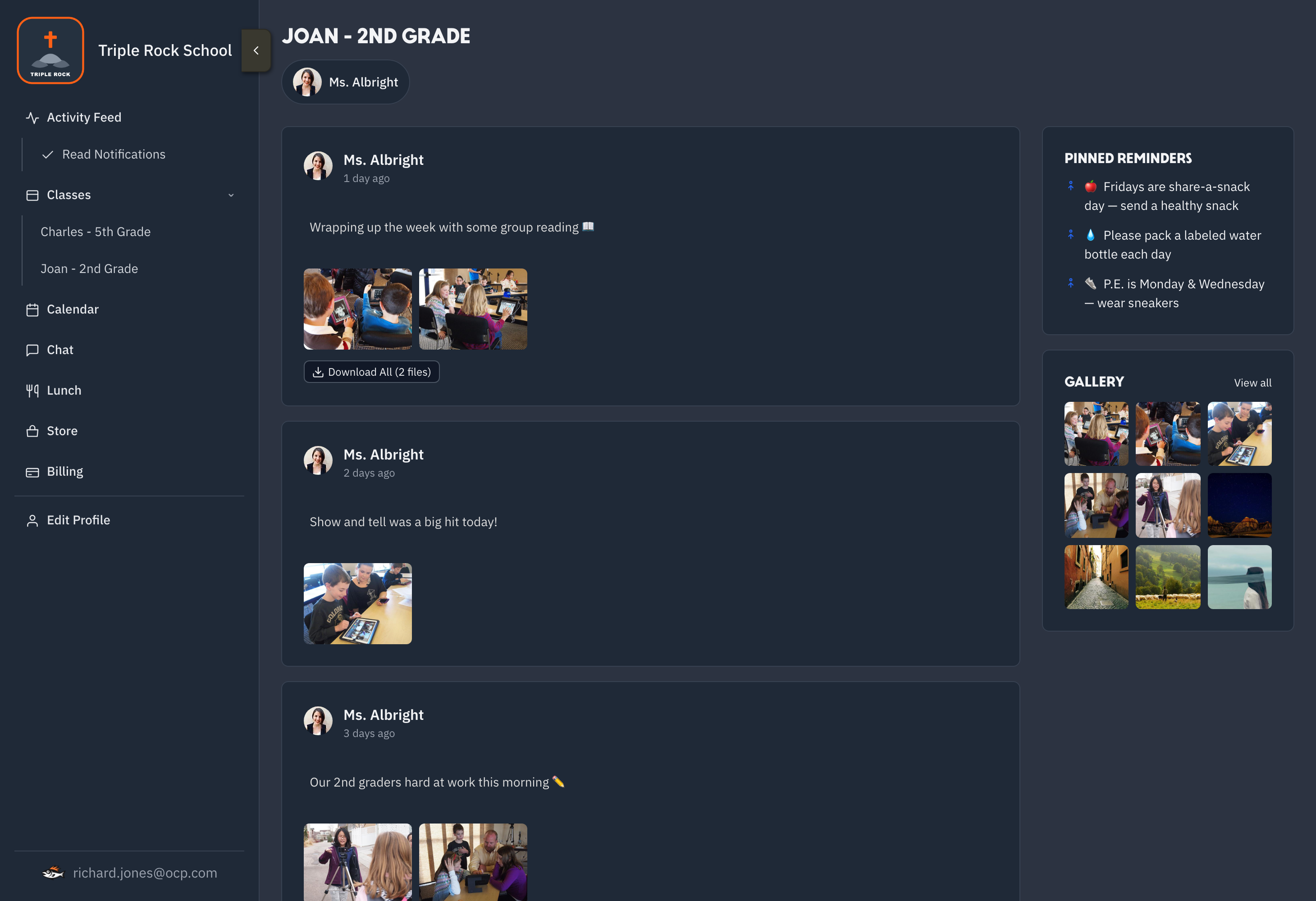
Teachers can post announcements, pin important reminders, share classroom photos, and keep families connected without bouncing between group texts and email threads.
- Access on the web or on your phone
- Widget support so pinned items are literally pinned on your phone
- Easily view and save images and videos from the school day
School-wide coordination
One Voice
Administrators can reach the whole school, specific grades, volunteer groups, or staff teams with clear updates that land in one reliable place.
Instead of ad hoc group chats spread across three different apps, all of your groups can chat in Fish. The 1st grade parents, the PTA/PTL, and the German club each have their own chat. Share links, images, and more.
- School-wide announcements
- Targeted groups and roles
- Volunteer and staff coordination
David Reyes

Yes! I can bring buckets and sponges.
8:05 AM
Angela Brooks

I will put together the volunteer sign-up sheet tonight.
8:07 AM
Jason Miller

What time should families drop off their cars?
8:10 AM
Melissa Carter

9:00 in the west lot. Thanks everyone!
8:12 AM
Count me in. I will bring coffee and donuts for the volunteers.
8:15 AM
Megan McCandlish

You are the best, Pat! See you Saturday.
8:18 AM
A home for every team, club, and committee
Groups
Give the PTA/PTL, the booster club, room parents, the German club, and the staff each their own space in Fish. Every group gets its own feed, photo gallery, calendar, and logo, plus optional group chat its leaders can switch on when it helps.
Membership keeps itself current. Add people directly, or pull in a whole classroom or another group and the roster follows along as those change. Include the 3rd grade classroom in the field trip group and everyone in that class comes with it, so nobody has to rebuild a list every August.
- Each group gets a feed, gallery, calendar, and optional chat
- Build a roster from whole classrooms or other groups, kept in sync
- Group leaders manage their own members and settings
Pinned
- Bring a laptop on Thursdays
- Robot demo night is Nov 14
Group calendar
- NOV07Build session3:30 PM · Lab B
- NOV14Robot demo night6:00 PM · Gym
Gallery
Every hour counted, without a clipboard
Volunteer Hours
Set the hours your school asks of each family for the year, then let Fish keep the tally. Families watch their own progress from the app instead of emailing the office to ask where they stand.
Volunteers check in by scanning a code at the event, and your coordinator turns those check-ins into credited hours in one pass. Hours earned somewhere else can be added by hand, and every hour lands in the same ledger.
- Name the program whatever your school calls it, from Volunteer Hours to Service Hours or Panther Points
- A yearly goal for the school, adjustable for an individual family
- QR check-in at the event, so nobody chases a paper sign-in sheet
- One ledger for scanned hours and hours granted by hand
- Families see their running total and what is left to go
- OCT24 Fall Festival setupChecked in by QR at the door 4.0
- OCT09 Library shelvingAdded by the coordinator 2.5
- SEP27 Concession standChecked in by QR at the door 6.0
One calendar, synced to every device
Every Event
Share every school community event from one place. Fish pulls events straight from the school's Google Calendar and iCloud so you never enter an event twice, and families can sync the whole calendar to their phone in a tap.
- Sync data from Google Calendar or iCloud
- School calendar data can sync to user's calendars via native apps
- Event RSVP tracking
Menus, orders, and payments
Lunch Ordering
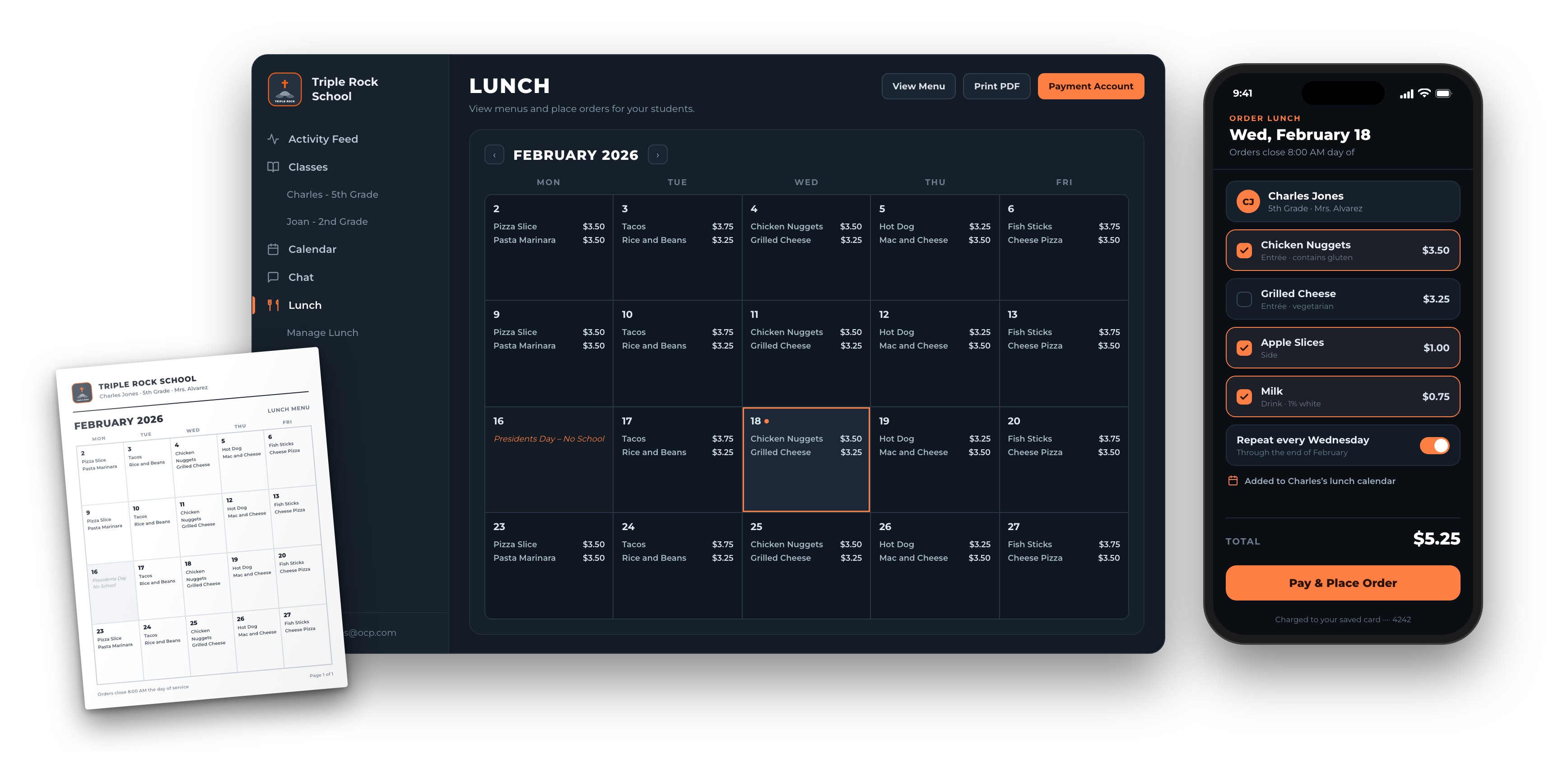
Publish the monthly menu, take orders, and collect payment all in one place. Families order in a few taps and the kitchen gets a clean roster for every day. Families get each of their student's lunch menu on their device's calendar and also on a PDF printable calendar.
- Monthly menus families can browse
- Order and pay in a few taps
- Daily rosters for the kitchen
Billing made readable
Tuition
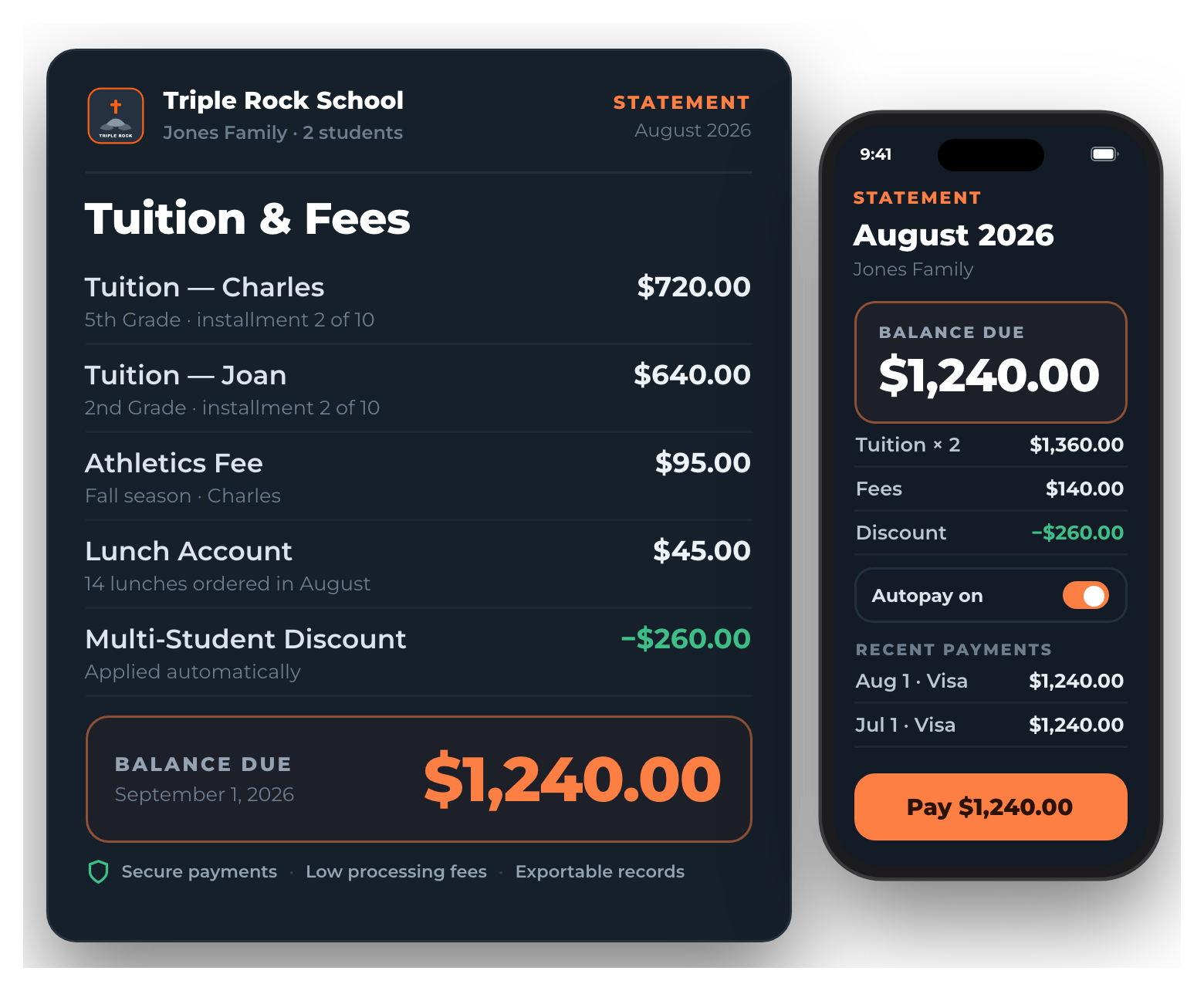
Families get clear, itemized statements for tuition, fees, and balances, plus a full history of every payment. Every transaction is secure, and Fish keeps processing fees as low as possible so your school keeps more of what it collects.
- Discounts and credits, like multi-student or early-pay, applied right on the statement
- Add any line item your school bills for, from technology fees to athletics and field trips
- Payment plans that split tuition across the school year, with autopay on the due date
- Accepts ACH, credit cards, debit cards, Apple Pay, and checks
Campaigns, products, and payments
Raise & Sell
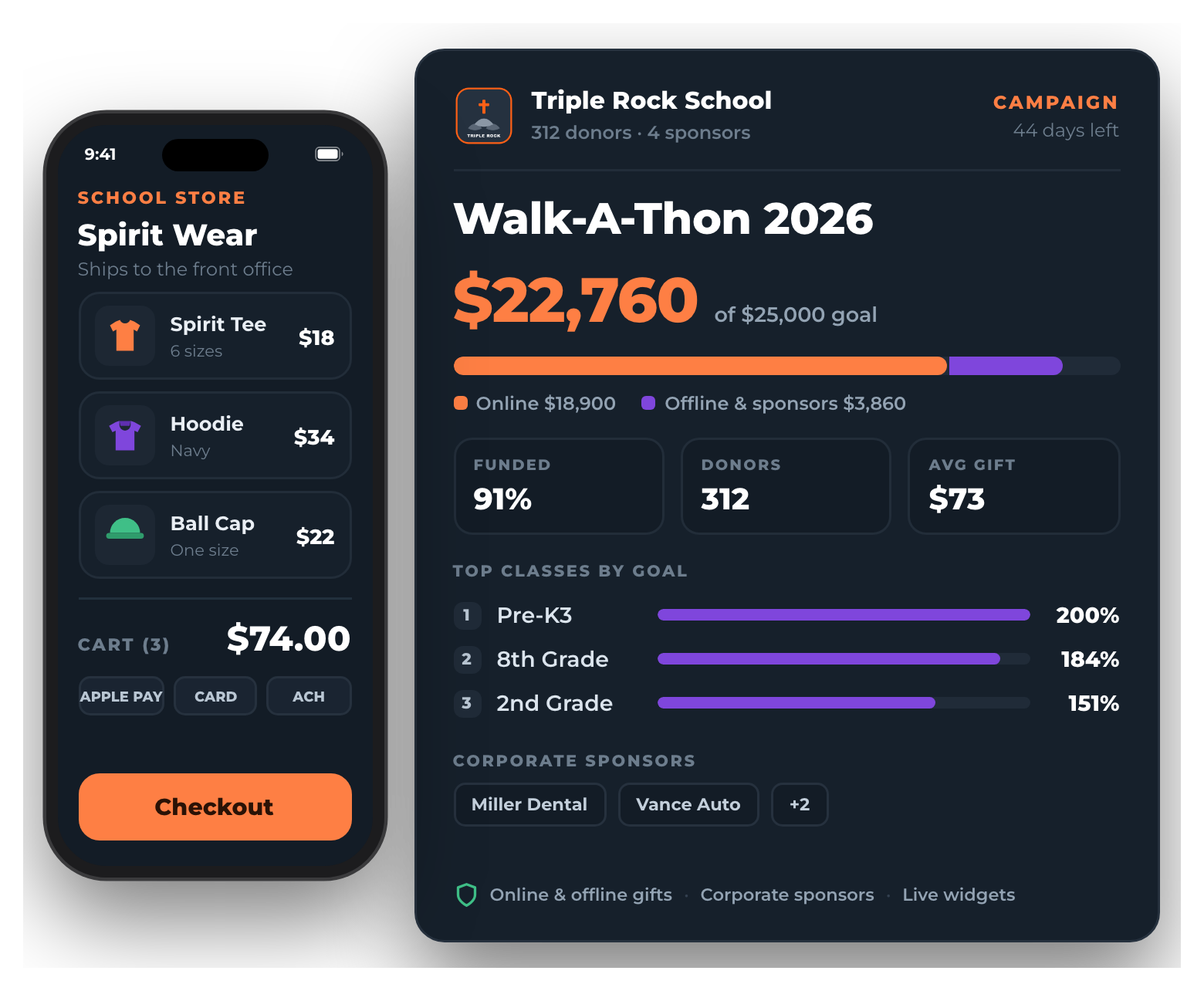
Run your fundraising campaign from start to finish - accept donations on and offline, track student, classroom, and school goals, accept corporate sponsorships. The entire school community can easily view progress from their phone via widgets.
Run your school store directly from Fish to ensure the entire school community can easily show their school pride.
- Campaign pages and goals
- School store product placeholders
- Order and fulfillment tracking
Hours of data entry, done in minutes
Fish AI
Fish AI is completely optional. It is turned off until your school administrator approves it, and an administrator can turn it back off at any time. We know AI is not for every school, and that is a perfectly good answer - schools that skip it lose nothing, because every part of Fish works exactly the same without it. For the schools that do want the help, Fish is ready when you are.
Once it is approved, Fish connects to the AI assistant your school already uses, such as Claude or ChatGPT, so staff can ask questions about school data in plain language and get answers without digging through reports.
The bigger time saver is bulk data entry. Hand the assistant the athletics schedule PDF the league emailed you, or forward the email with next semester's field trip dates, and it can read the dates, times, and locations and create every calendar event at once. What used to be an hour of typing becomes a quick review before you approve the batch.
- Off by default and requires school administrator approval
- Turn a schedule PDF or a forwarded email into dozens of calendar events in one pass
- Ask plain language questions about enrollment, billing, RSVPs, and lunch orders
- You review and approve every batch before anything is saved
- Works with the assistant your school already uses, so there is nothing new to buy
- SEP12 Varsity Soccer vs. Hillcrest4:30 PM · Home Field
- SEP15 JV Volleyball @ St. Mark's5:15 PM · Away
- SEP19 Cross Country Invitational8:00 AM · Cedar Park
24 events added and synced to every family's phone.